-Transparent.png?width=150&height=113&name=Airswift-Primary-Logo-(WhiteText)-Transparent.png)
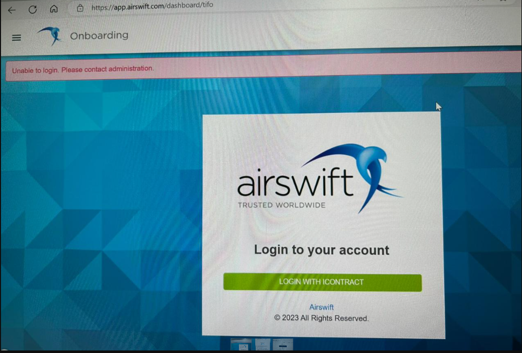
Edit your profile
-
Click to go to your Profile (either from your dashboard or from the icon on the upper right corner)
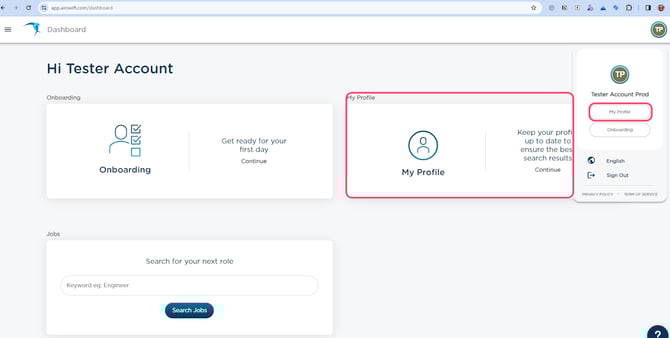
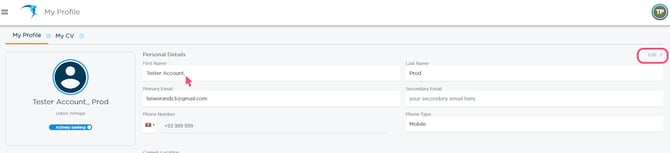
Remove special characters
-
On the right upper corner, click "Edit";
-
Remove the special character(s) from your name and click Save;
Some examples of special characters not supported include:
-
Numbers;
-
!@#$%^&*().,;/"
If there are no special characters on your name, try signing in with a different browser. For example, if you logged in Google Chrome, use Microsoft Edge, and vice-versa.
Make sure you allow the necessary cookies on the site.
Sign out and sign back in
-
Sign out from Airswift Digital;
-
Sign back in;
-
Go to Onboarding.
Error still persisting?
If you need further assistance, contact digitalsupport@airswift.com.
For better support, please provide as much information as you can, including screenshots.