-Transparent.png?width=150&height=113&name=Airswift-Primary-Logo-(WhiteText)-Transparent.png)
1. The contractor will need to register on Airswift Digital, this can be done from our main Airswift page or via link sent from Airswift. The candidates use the same portal to apply for positions with Airswift.
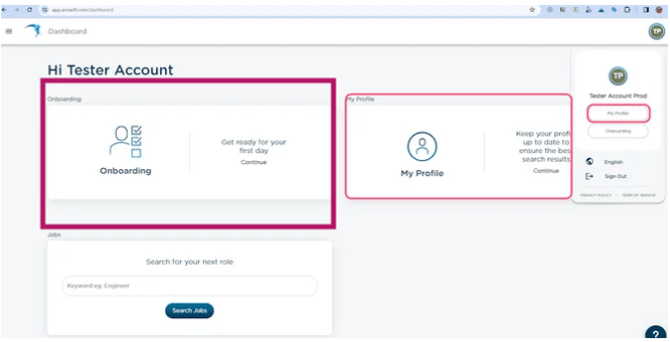
2. Once a contractor has registered and is ready for onboarding, the Service consultant will send the contractor their onboarding information via the portal and the contractor will then select the 'onboarding' tile to begin.
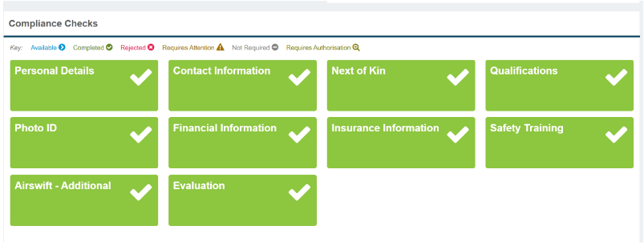
3. The below tiles indicate all required information to be added by the contractor. It is the same view for a T4 and LTD contractor. The information requested under the financial and insurance tiles will differ.
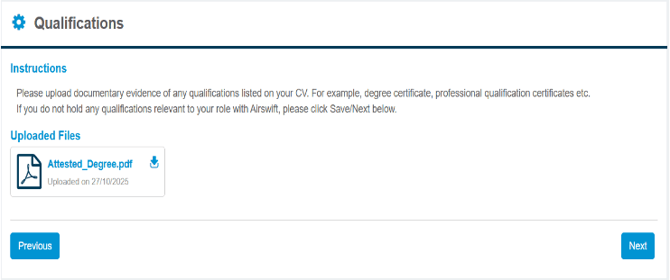
4. Under the Qualifications tab is where all the contractor's safety tickets and qualifications can be uploaded.
5. Under the insurance tab (for an LTD) is where they will upload all of their incorporation documents and required insurances (General liability and Workers compensation clearance letters.)
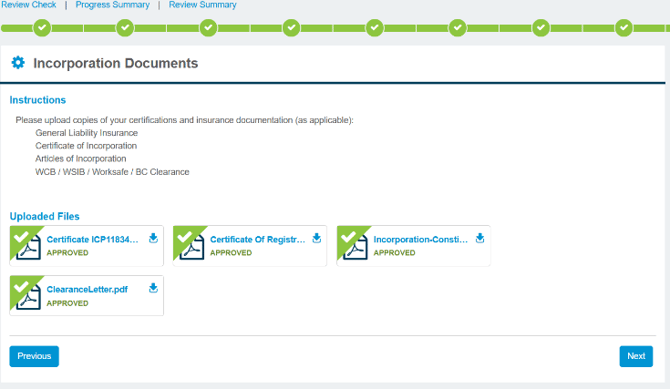
6. Once the contractor has completed all of their information the Service consultant will get an e-mail notification that the contractors information is ready to be reviewed.
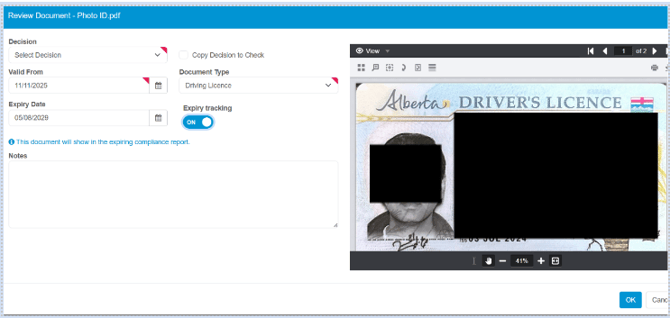
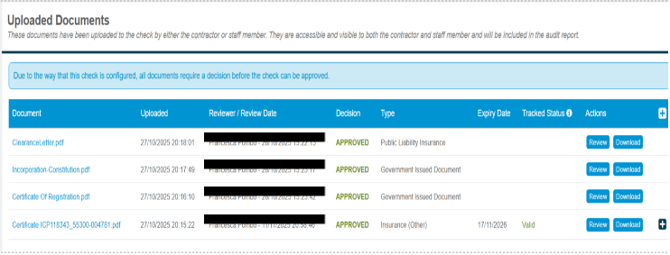
7. Upon reviewing all of the documents, the Service consultant is able to either approve the upload documents or request further information if needed. Upon approving documents, Airswift can track the expiry of the documents provided (ex: any safety tickets uploaded, photo IDs and insurance documents).
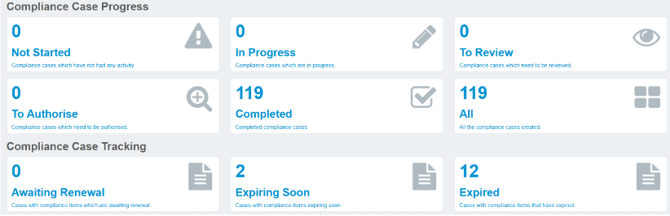
*The screenshots below are the Service Consultant view when reviewing.
8. On the Service consultants dashboard, they can view all onboarding cases from not started to completed. There is also a 'Compliance Case Tracking’ section which shows which compliance checks have documents where expiry dates were tracked. They can then go back renewals from contractors as needed.