-Transparent.png?width=150&height=113&name=Airswift-Primary-Logo-(WhiteText)-Transparent.png)
To start
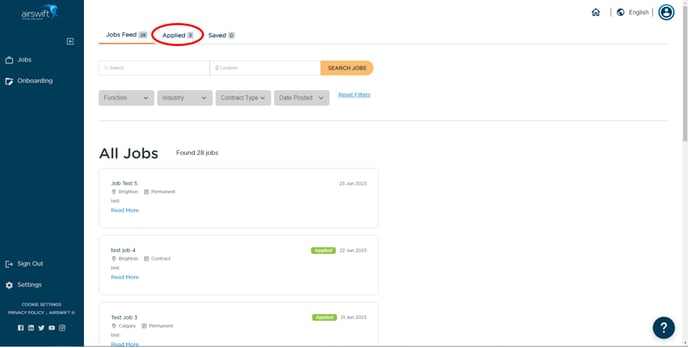
Navigate to the jobs page and select 'Applied' from the navigation menu at the top of the page.
Your application status
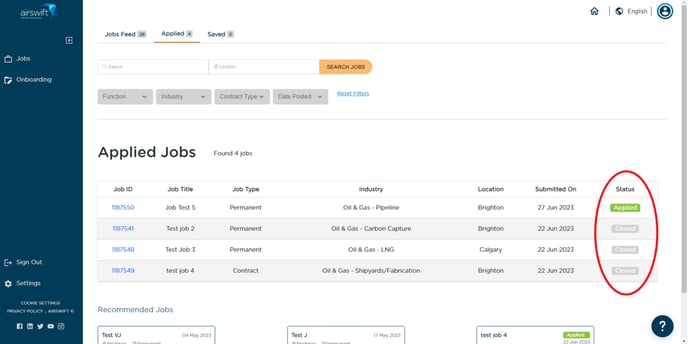
From this page, you can see the list of your applications with the status on the far right. The status field will show one of these 5 options:
-
Applied - your application has been submitted.
-
Submitted to Client - you have been shortlisted for the job.
-
Interview - an interview has been scheduled.
-
Offer Extended - a job offer has been extended.
-
Closed - when the job was closed, or your application was rejected.